
How Blockscout Brings Blockchain Data to AI Agents and LLMs

AI tools keep getting better at handling complex data. However, blockchain data presents some unique challenges. Raw tx logs, hex-encoded fields, and nested contract calls can be extremely complex. Add in the fact that this data is streaming constantly from multiple blockchains, and you have a recipe for some major LLM breakdowns.
Blockscout has been building features specifically to close that gap. From native apps inside Claude and ChatGPT to a full MCP server, our AI optimized platform offers several ways for AI agents and LLMs to access, interpret, and act on blockchain data across thousands of chains.
Here's a look at everything available right now.
Blockscout on ChatGPT
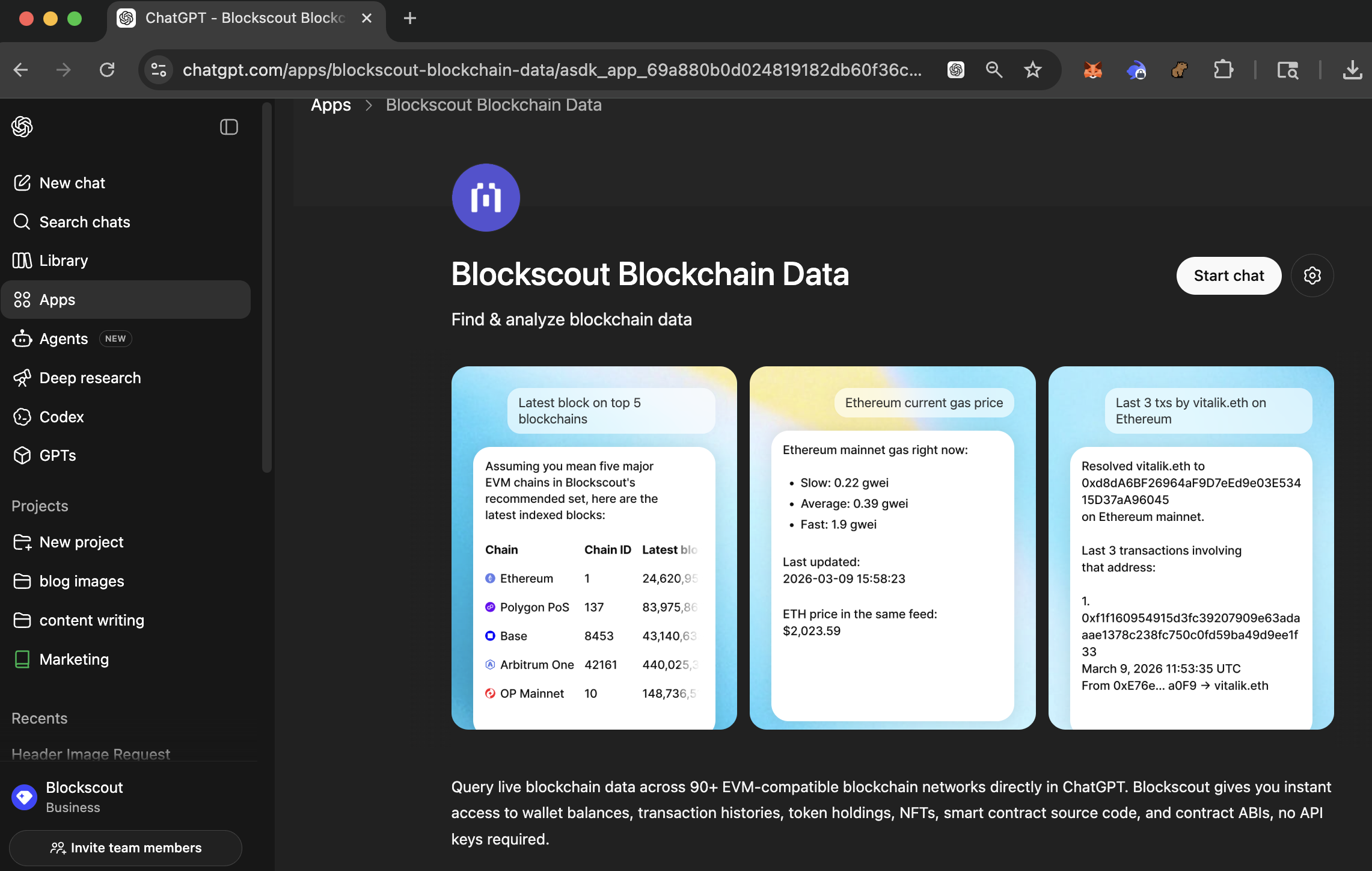
First off, Blockscout is now available as a ChatGPT app! It's currently the only app accepted by the platform to provide dedicated blockchain data.
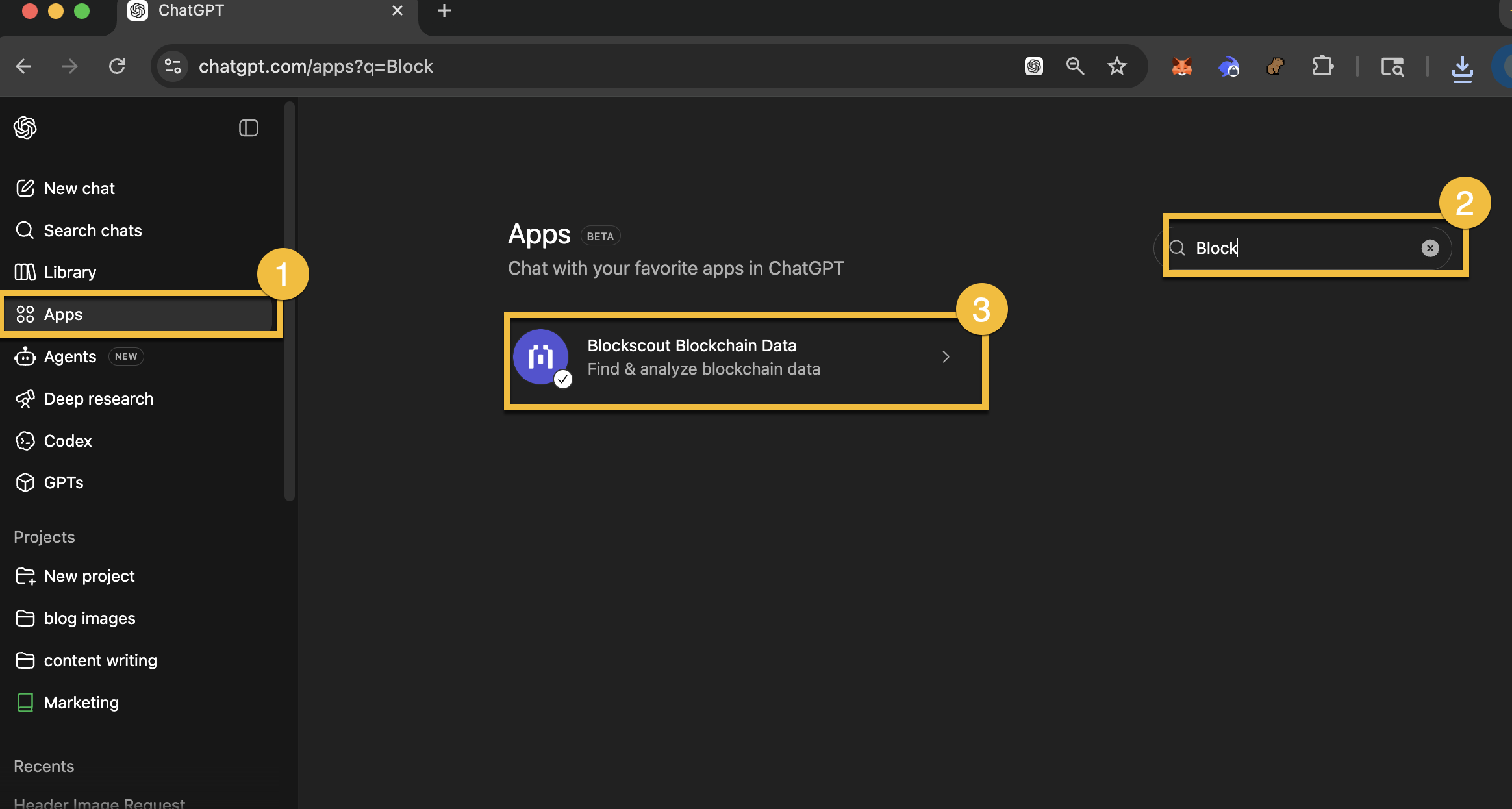
Get started by visiting chatgpt.com and going to Apps. You can then do a search by Blockscout or Blockchain. Blockscout will come up and you can start using the app immediately to interface with onchain data.
Direct link to the ChatGPT Blockscout App
Blockscout on Claude
Blockscout is available as an official connector in the Anthropic Connectors Directory. This means Claude users can connect to Blockscout's MCP server directly from Claude.ai, Claude Desktop, or Claude Mobile without any manual configuration.
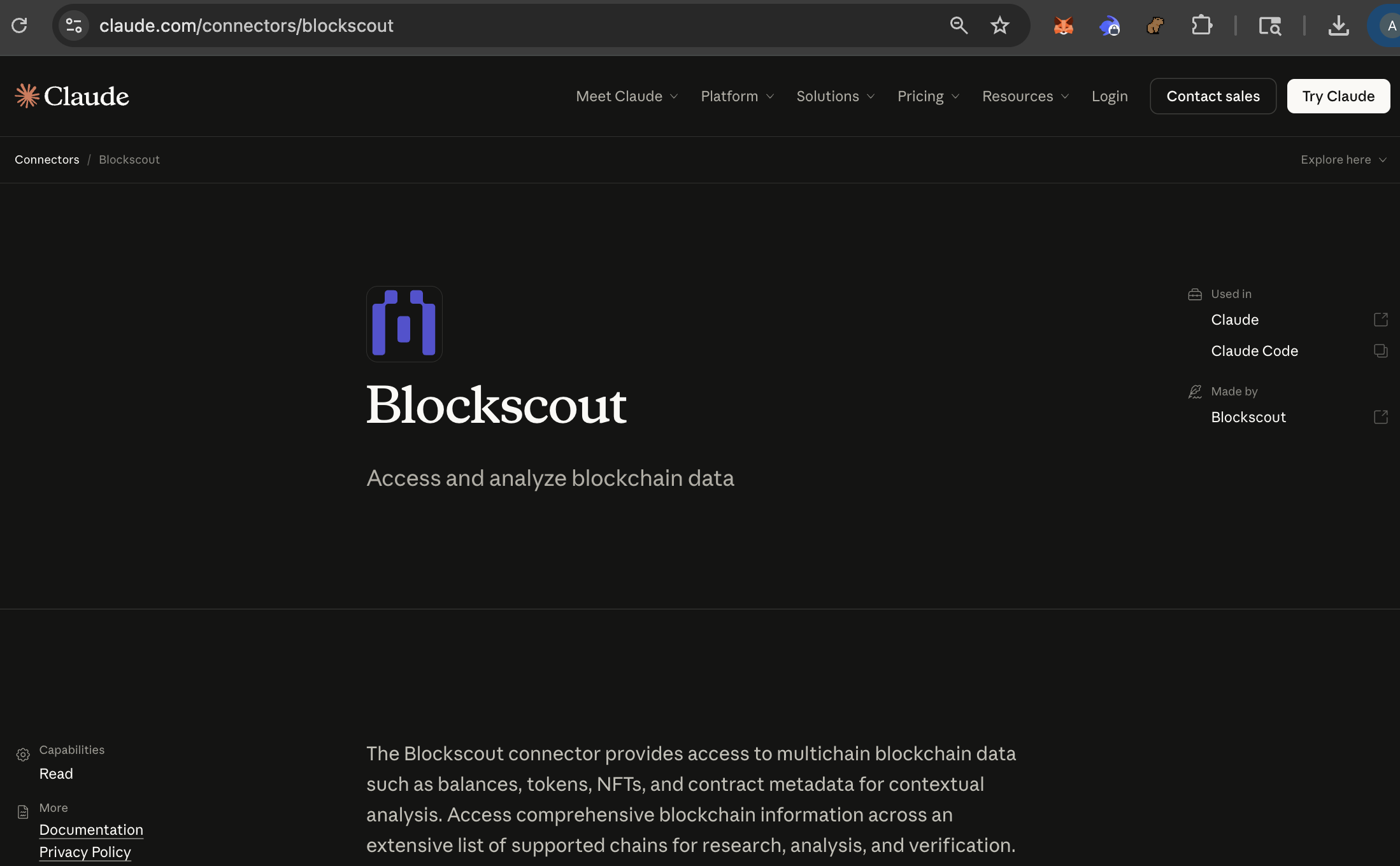
Setting it up takes about a minute. You can either visit claude.com/connectors/blockscout and click "Connect," or go to Settings, then Connectors, then Browse Connectors, and search for Blockscout. Once connected, Claude has access to all 16 MCP tools and can query on-chain data across every supported network.
This integration works on any paid Claude plan (Pro, Team, Max, or Enterprise). After connecting, you can ask Claude things like "What tokens does this address hold on Base?" or "Show me the last 10 transactions for vitalik.eth" and get answers pulled directly from live blockchain data.
For best results, the Blockscout team recommends starting your conversation with a system-level prompt that tells Claude to act as a blockchain analyst and plan its tool calls before responding. The suggested prompt is available on the MCP server page.
Blockscout MCP Server
The Model Context Protocol (MCP) is a standard created by Anthropic that lets AI assistants connect to external data sources. Instead of relying only on training data or web searches, an AI agent with MCP access can pull live, structured information directly from a service.
Blockscout runs its own MCP server at mcp.blockscout.com, and it gives AI agents direct access to on-chain data through a set of purpose-built tools. At the time of writing, there are 16 tools available. Each one handles a specific type of blockchain query:
- Address lookup -- Get balances, contract status, ENS associations, proxy detection, and token details for any address.
- Transaction details -- Pull enriched transaction data including decoded input parameters, token transfers with metadata, and fee breakdowns.
- Token operations -- Search tokens by symbol, view ERC-20 holdings with market data, and track token transfers within specific time ranges.
- NFT data -- Retrieve NFT holdings grouped by collection, including metadata attributes and collection-level stats like holder counts.
- Block information -- Get block-level data such as timestamps, gas usage, burnt fees, and transaction counts.
- Smart contract reading -- Call view/pure contract functions directly and get decoded results. An AI agent can check balances, read protocol parameters, or query any public contract function in real time.
- Contract inspection -- View verified source code, compiler metadata, and individual source files.
- ENS resolution -- Resolve human-readable
.ethnames to addresses through Blockscout's BENS (Blockscout ENS Service). - Chain discovery -- List all supported chains and their IDs so agents know where to look for data.
- Direct API access -- A raw endpoint tool for advanced or chain-specific queries that fall outside the standard tools.
The server also includes built-in context optimization. It truncates large data fields, provides opaque cursor pagination, and slices responses intelligently to prevent LLM context overflow. These are practical details that make a real difference when an AI agent is trying to process on-chain data without blowing through its token budget.
One of the more useful aspects of this setup is multichain support. Blockscout covers more than 3,000 networks, and a single MCP connection gives an agent the ability to query Ethereum mainnet, Optimism, Base, Arbitrum, and hundreds of other chains without switching endpoints or managing multiple API keys. If someone asks "show me this wallet's activity on Ethereum and Optimism," the agent handles both chains through the same connection.
You can explore the full list of tools and configuration instructions at mcp.blockscout.com.
The llms.txt Endpoint
Blockscout also serves an llms.txt file at mcp.blockscout.com/llms.txt. This is a machine-readable file designed specifically for AI crawlers, following the emerging standard for helping LLMs understand what a service offers and how to interact with it.
Blockscout Agent Skills
Beyond the MCP server itself, Blockscout publishes a separate open-source repository called agent-skills. These are structured instruction sets that give AI agents deeper expertise in blockchain data analysis.
The main skill available right now is Blockscout Analysis, which provides agents with guidance on execution strategies, response handling, security best practices, and workflow orchestration. Think of it as a knowledge pack that makes an agent better at working with blockchain data, not just accessing it.
Skills follow a markdown-based format and work with multiple AI platforms. The installation process varies depending on which agent you use:
- Claude Code -- Install from the plugin marketplace with
claude plugin marketplace add blockscout/agent-skills, thenclaude plugin install blockscout-analysis@blockscout-ai. - Claude Desktop / Cowork -- Add the marketplace from GitHub through the Customize menu, using the repo ID
blockscout/agent-skills, then install the plugin from the list. - Gemini CLI -- Install the skill from the GitHub repo path using
gemini skills install. - Codex CLI / Codex App -- Configure the MCP server first, then prompt Codex to install the skill from the repo.
Each skill is a self-contained directory with a SKILL.md entry point and supporting docs and scripts. The repo is MIT-licensed and open for contributions.
The Agents Portal
Blockscout maintains a dedicated landing page for its AI agent ecosystem at agents.blockscout.com. This serves as a quick resource for users needing to connect agents to onchain data.
Simply choose your agent platform and run simple commands to get them up-and-running with the context they need.
The REST API: Structured Data for LLM Consumption
While the MCP server is designed specifically for AI agent frameworks, Blockscout's APIs offer additional ways to feed blockchain data into AI workflows.
Our APIs returns well-structured JSON responses with decoded data, token metadata, and human-readable labels where available. When an LLM receives a decoded function name like swap(address,uint256,uint256) instead of raw hex bytes, it produces much better explanations and analysis.
Features that work well with AI applications include decoded transaction inputs, token metadata attached to transfer records, address labels for known entities (exchanges, protocols, bridges), and pagination with filtering by time range, token, or method signature.
Our APIs also share the same response format as the MCP tools. Data comes back in a ToolResponse structure that separates meaningful data from auxiliary information, notes, instructions, and pagination metadata. This consistency means code or agents that work with one interface can easily work with the other.
Practical Use Cases
With these features combined, several applications become straightforward to build:
- Wallet analysis in natural language. Ask an AI agent "What has this wallet been doing for the past month?" The agent queries transaction history, token transfers, and contract interactions through MCP, then summarizes the activity in plain language.
- Smart contract research. An AI agent can inspect a contract's verified source code, read its current state, check its token balances, and explain what the contract does. Useful for due diligence on DeFi protocols or checking contract safety before interacting with it.
- Cross-chain portfolio tracking. Because the MCP server supports multichain queries, an agent can compile a complete picture of someone's holdings and activity across every supported network in a single workflow.
- Transaction monitoring and alerts. Build AI-powered monitoring systems that watch for specific transaction patterns and generate human-readable alerts, using structured API data combined with LLM summarization.
- Protocol analytics. AI agents can read contract state, track token distributions, and monitor on-chain governance activity across multiple chains.
Getting Started
The fastest way to try Blockscout's AI features depends on which platform you already use:
- Claude users -- Connect via claude.com/connectors/blockscout and start asking questions about addresses, transactions, or contracts.
- ChatGPT users – Connect to the app and access the blockchain data you need.
- Developers building custom agents -- Point your MCP client at
https://mcp.blockscout.com/mcpand install the agent skills from github.com/blockscout/agent-skills. - API users – Go to https://dev.blockscout.com/ and get your free key.
Everything is open source. The MCP server implementation, API endpoints, agent skills, and transaction summary features are all available for review, modification, or self-hosting on GitHub.