
How to Migrate Your Etherscan API Calls to Blockscout
Looking for an Etherscan API alternative? Learn how to migrate to Blockscout PRO API with minimal code changes and full endpoint compatibility.

If your app uses Etherscan-style endpoints, switching to Blockscout is straightforward. Most calls are fully compatible, and in many cases the only change required is the base URL.
This guide walks through the migration step by step so you can move from Etherscan to Blockscout PRO API with minimal code changes.
Blockscout PRO API provides multichain access through a single API account, while maintaining compatibility with the endpoint structure developers already know.
Why Use Blockscout PRO API
Blockscout PRO API maintains compatibility with Etherscan-style modules and actions, while providing:
- One API account across 100+ EVM chains
- 2x chain coverage compared to Etherscan
- Higher RPS at every tier
- Significantly more monthly call volume
- Credit-based pricing with predictable overages
- Open source explorer-backed infrastructure
Because the API follows established conventions, most applications can migrate without architectural changes.
For a full comparison between Blockscout PRO API and Etherscan, see the supported chains list here:

1. Update the Base URL
Blockscout follows the same API structure and request format developers are familiar with, so in most cases migrating simply means updating the base URL and chain_id parameter for your chain, then plugging in your PRO API apikey which you get for free at https://dev.blockscout.com/.
Here are several examples from common networks: Get a full list of supported networks in our docs
Ethereum Mainnet:
https://api.blockscout.com/v2/api?chain_id=1&apikey=proapi_xxxxxx&module...

Optimism Mainnet:
https://api.blockscout.com/v2/api?chain_id=10&apikey=proapi_xxxxxx&module...

Polygon Mainnet:
https://api.blockscout.com/v2/api?chain_id=137&apikey=proapi_xxxxxx&module...
Once you switch the base URL and update with your Blockscout PRO API key, most modules, actions, and parameters work exactly the same.
Optional: Programmatic Network List
For developers who need a machine-readable list of all Blockscout explorers and their API endpoints, you can reference the full JSON directory here:
https://github.com/blockscout/chainscout/blob/main/data/chains.json
2. Account Endpoints
Get normal transactions
Note that the base url changes and the parameter chain_id differs in Blockscout (chain_id vs chainid)
- https://api.etherscan.io/v2/api?chainid=1&apikey=xxx&module=account&action=txlist&address=0x...
+ https://api.blockscout.com/v2/api?chain_id=1&apikey=xxx&module=account&action=txlist&address=0x...
Get internal transactions
- https://api.etherscan.io/v2/api?chainid=1&apikey=xxx&module=account&action=txlistinternal&address=0x

+ https://api.blockscout.com/v2/api?chain_id=1&apikey=xxx&module=account&action=txlistinternal&address=0x
Changes required:
- base url updated
chainidbecomeschain_id- replace apikey with the Blockscout apikey from dev.blockscout.com (it will start with the prefix
proapi_
3. Contract Endpoints
Get contract ABI
- https://api.etherscan.io/v2/api?chainid=1&apikey=xxx&module=contract&action=getabi&address=0x...
+ https://api.blockscout.com/v2/api?chain_id=1&apikey=xxx&module=contract&action=getabi&address=0x...
Get verified source code
- https://api.etherscan.io/v2/api?chainid=1&apikey=xxx&module=contract&action=getsourcecode&address=0x...
+ https://api.blockscout.com/v2/api?chain_id=1&apikey=xxx&module=contract&action=getsourcecode&address=0x...
Blockscout verifies contracts across many chains, and ABI/source endpoints are fully supported.
4. Logs and Event Queries
- https://api.etherscan.io/v2/api?chainid=1&apikey=xxx&module=logs&action=getLogs&fromBlock=...
+ https://api.blockscout.com/v2/api?chain_id=1&apikey=xxx&module=logs&action=getLogs&fromBlock=...
Use the same params you already know.
5.RPC Endpoints
Blockscout PRO API also supports RPC-like responses through POST requests. Read more here.
6. Full Etherscan Migration Example
If your app already uses Etherscan-style requests, migrating to Blockscout usually requires changing a single line and then accounting for the parameter change from chainid to chain_id
Before (Etherscan):
const axios = require("axios");

const api = axios.create({
  baseURL: "https://api.etherscan.io/v2/api",
  params: { apikey: process.env.ETHERSCAN_KEY }
});
Updating to Blockscout
const axios = require("axios");

const api = axios.create({
  baseURL: "https://api.blockscout.com/v2/api",
  params: { apikey: process.env.BLOCKSCOUT_KEY }
});

// Rename chainid → chain_id
api.interceptors.request.use((config) => {
  if (config.params?.chainid !== undefined) {
    config.params.chain_id = config.params.chainid;
    delete config.params.chainid;
  }
  return config;
});

// No changes needed here — the interceptor handles param renaming automatically
async function fetchTxs(address) {
  const { data } = await api.get("", {
    params: {
      module: "account",
      action: "txlist",
      address,
      sort: "desc",
      offset: 10,
    },
  });
  return data;
}
Usage remains identical
The migration path is intentionally smooth. If your code already uses Etherscan patterns, this requires almost no modification.
Tips for a Smooth Migration
Use your API key
All Blockscout PRO API keys are managed through the Blockscout Dev Portal. To access the API, create an account and generate your PRO API key at:
The Dev Portal includes a free plan with defined daily credits and rate limits, as well as paid tiers for higher usage.
All API access and usage tracking is handled centrally through your PRO API account.
 Joe
Joe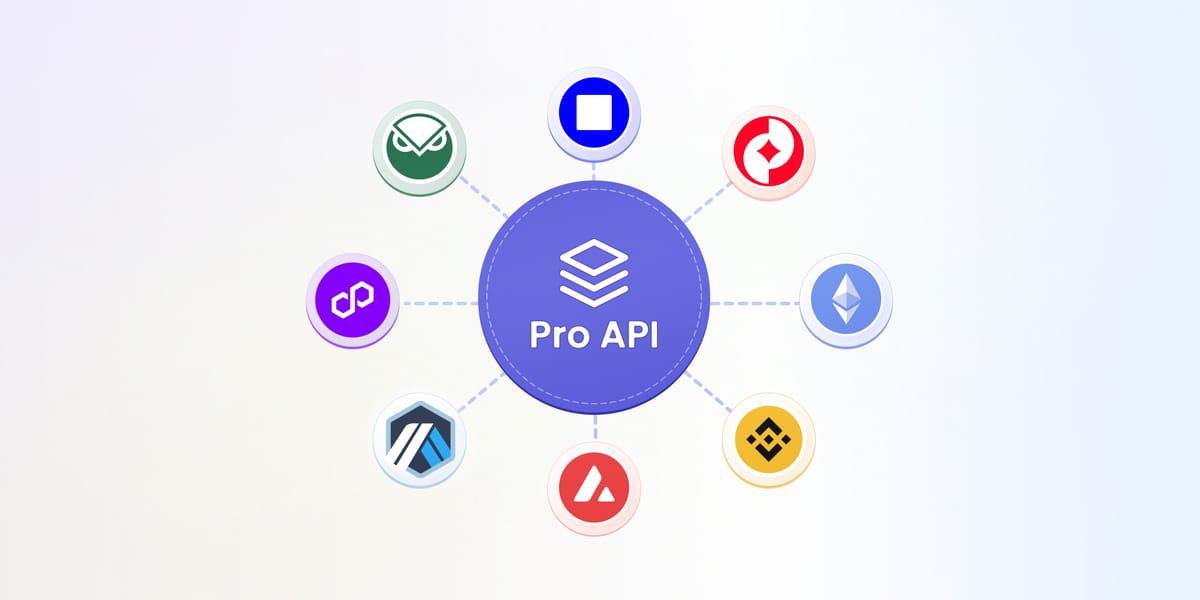
Check chain-specific quirks
Some newer networks may have slightly different behavior based on underlying node implementations. These are documented in each chain’s explorer.
Full Documentation
You can explore all endpoints, modules, and parameters here:
https://docs.blockscout.com/devs/apis
Developers familiar with Etherscan’s API structure will find the transition intuitive. With endpoint compatibility and multichain access through PRO API, most teams can migrate quickly without architectural changes.