
Blockscout GraphQL API
Explore the Blockscout GraphQL API to query blockchain data efficiently. Learn how to access endpoints, run nested queries, and integrate flexible data fetching into your applications.

Whether you're building wallets, analytics platforms, or monitoring tools, the Blockscout GraphQL API gives you flexible, efficient access to blockchain data with queries tailored to your exact needs. Alongside our REST API, GraphQL provides an alternative approach for developers who need flexible, efficient data fetching.
Designed for complex queries and nested data relationships, the API works with any GraphQL client and can be integrated into existing projects or new applications in minutes.
In this guide, we'll explore how to access the GraphQL API from the Blockscout explorer and how to use the API in external applications.
The GraphQL endpoint
To get the GraphQL endpoint for your application, take any Blockscout instance URL (e.g., https://eth.blockscout.com), append /api/v1/graphql, and you have the GraphQL endpoint for that instance i.e. https://eth.blockscout.com/api/v1/graphql
For other base URLs, check the full list of Blockscout block explorers.
Why GraphQL API?
- One endpoint for everything: Forget managing dozens of REST URLs. Send all queries to one endpoint and let the query structure handle the rest.
- Request only what you need: Instead of receiving fixed data structures from REST endpoints, GraphQL lets you specify the exact fields you want. You define the response shape, which reduces bandwidth and speeds up your application.
- Fetch related data together: For complex data needs, GraphQL eliminates the REST pattern of making multiple sequential API calls. Get a transaction with its sender's balance, receiver's contract status, and all token transfers in a single network request. This significantly reduces latency and simplifies your app logic.
The Blockscout GraphQL API is live on all Blockscout instances, ready to power your next blockchain application.
Access the Blockscout GraphQL API in the explorer.
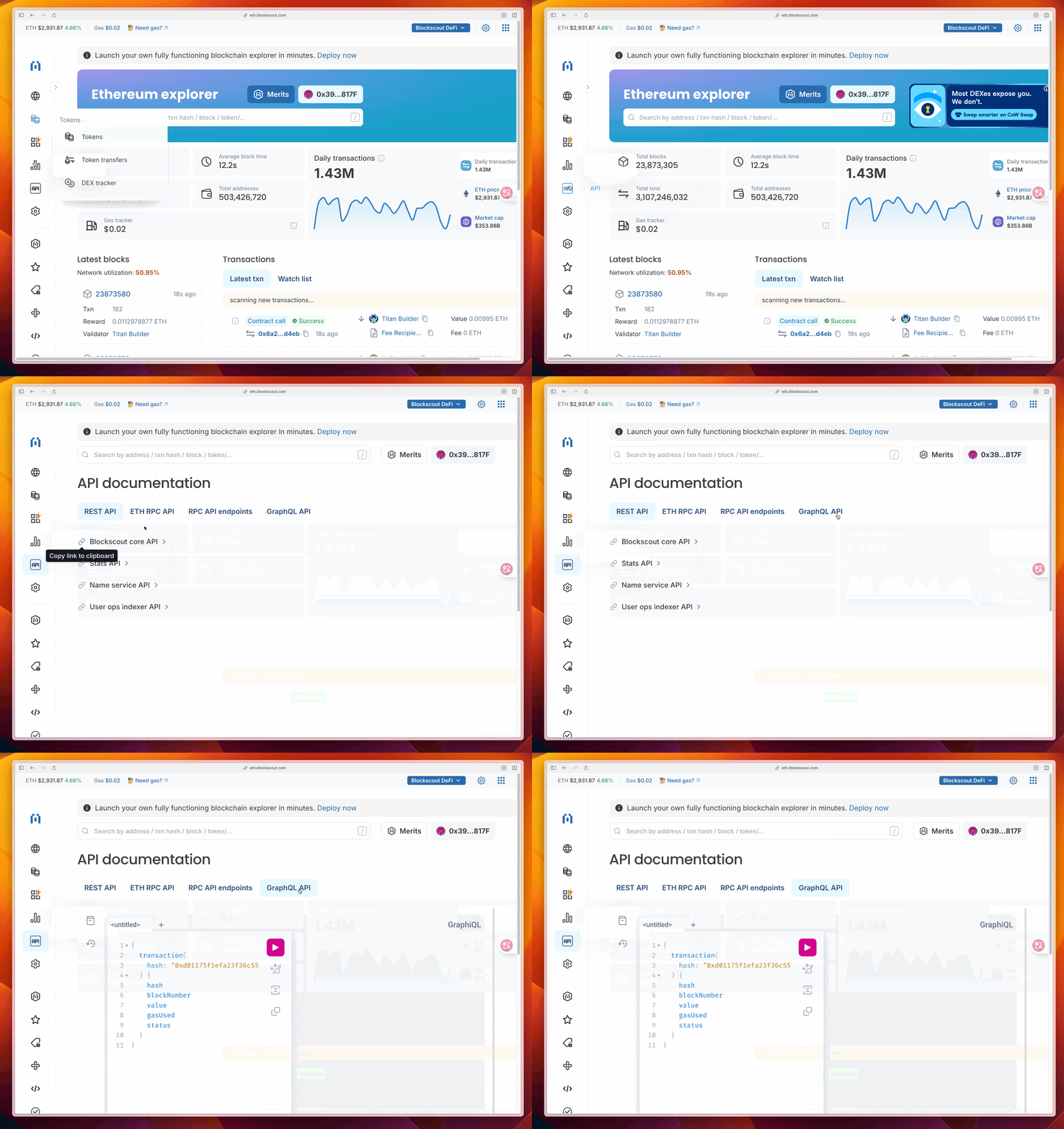
The easiest way to get started is via the GraphQL Playground embedded directly in the explorer. This allows you to easily test queries before integrating into your app.
To get there, go to the Blockscout explorer for a specific instance. Click on the API icon, then select the GraphQL API tab.
From here, you can write and test queries directly in the playground in your browser, then click the play button to run them.
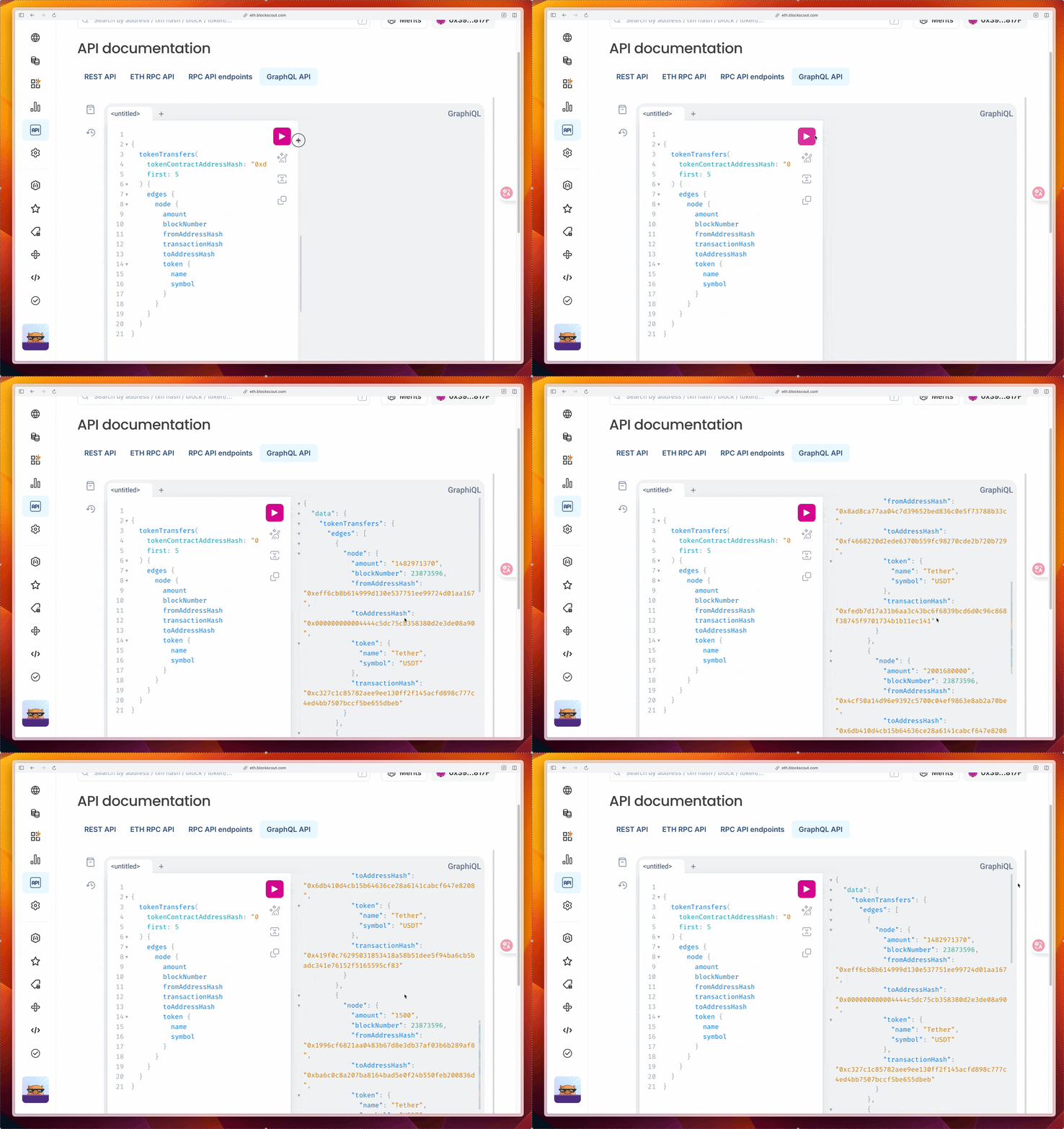
Let’s find the 5 most recent USDT transfers on Ethereum Mainnet. Copy and paste the query below into the playground, then click the play button to run it.
{
  tokenTransfers(
    tokenContractAddressHash: "0xdAC17F958D2ee523a2206206994597C13D831ec7"
    first: 5
  ) {
    edges {
      node {
        amount
        blockNumber
        fromAddressHash
        transactionHash
        toAddressHash
        token {
          name
          symbol
        }
      }
    }
  }
}
The response shows the transfer amounts, block numbers, sender/receiver addresses, and token info, all in one request:
Access the schema Docs
The GraphQL schema defines all available queries, types, and fields. To explore the schema, click the “book” icon on the left sidebar of the playground.
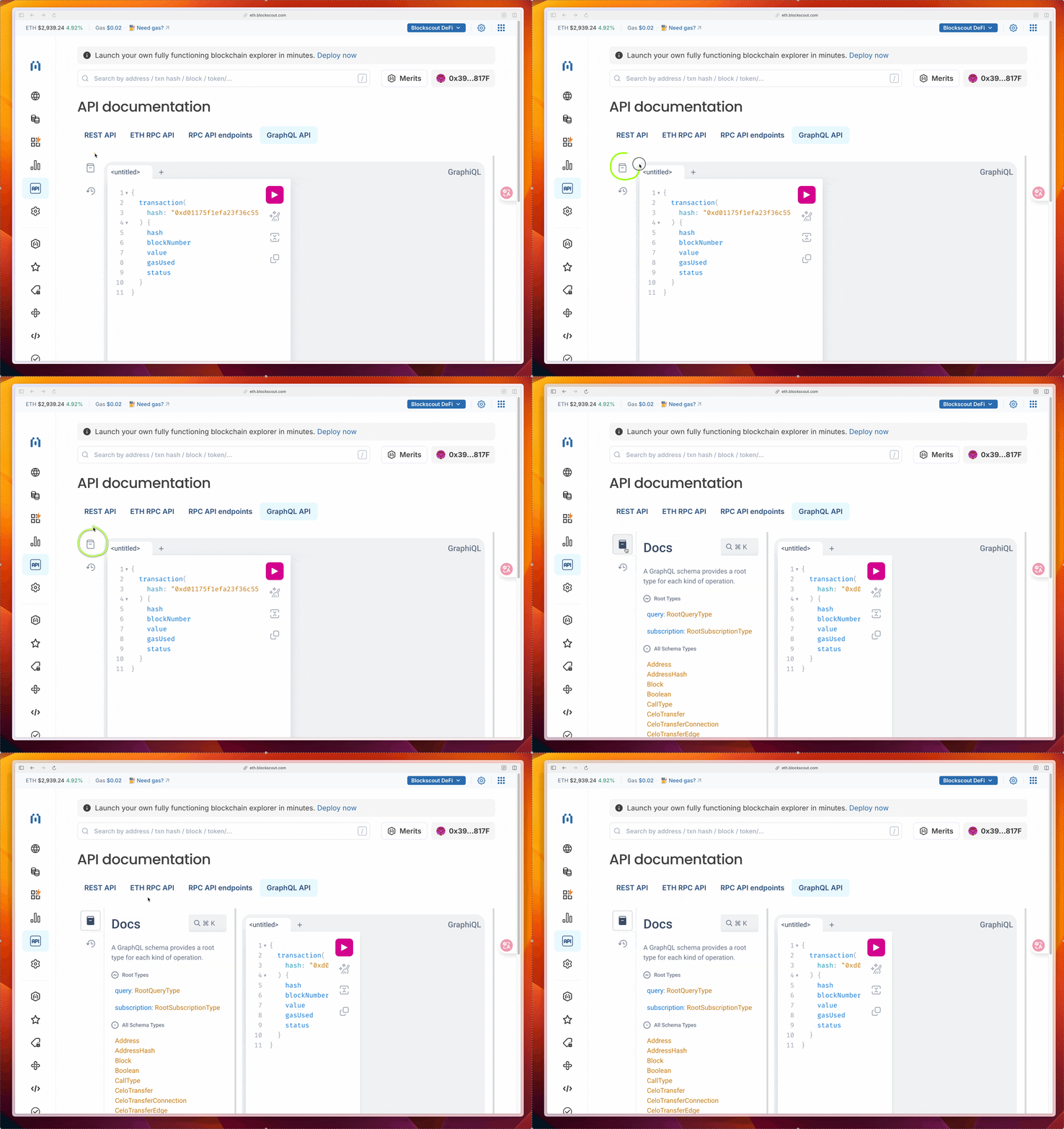
From here, you can browse root types like query and subscription, or jump directly to schema types like Address, Block, Transaction, and more.
How to use the GraphQL endpoint in your application
Once you've tested the queries in the playground, you can use the GraphQL API in external applications. For this demo, we will test using Hoppscotch.
Get transaction details.
Let’s find the details for a specific transaction.
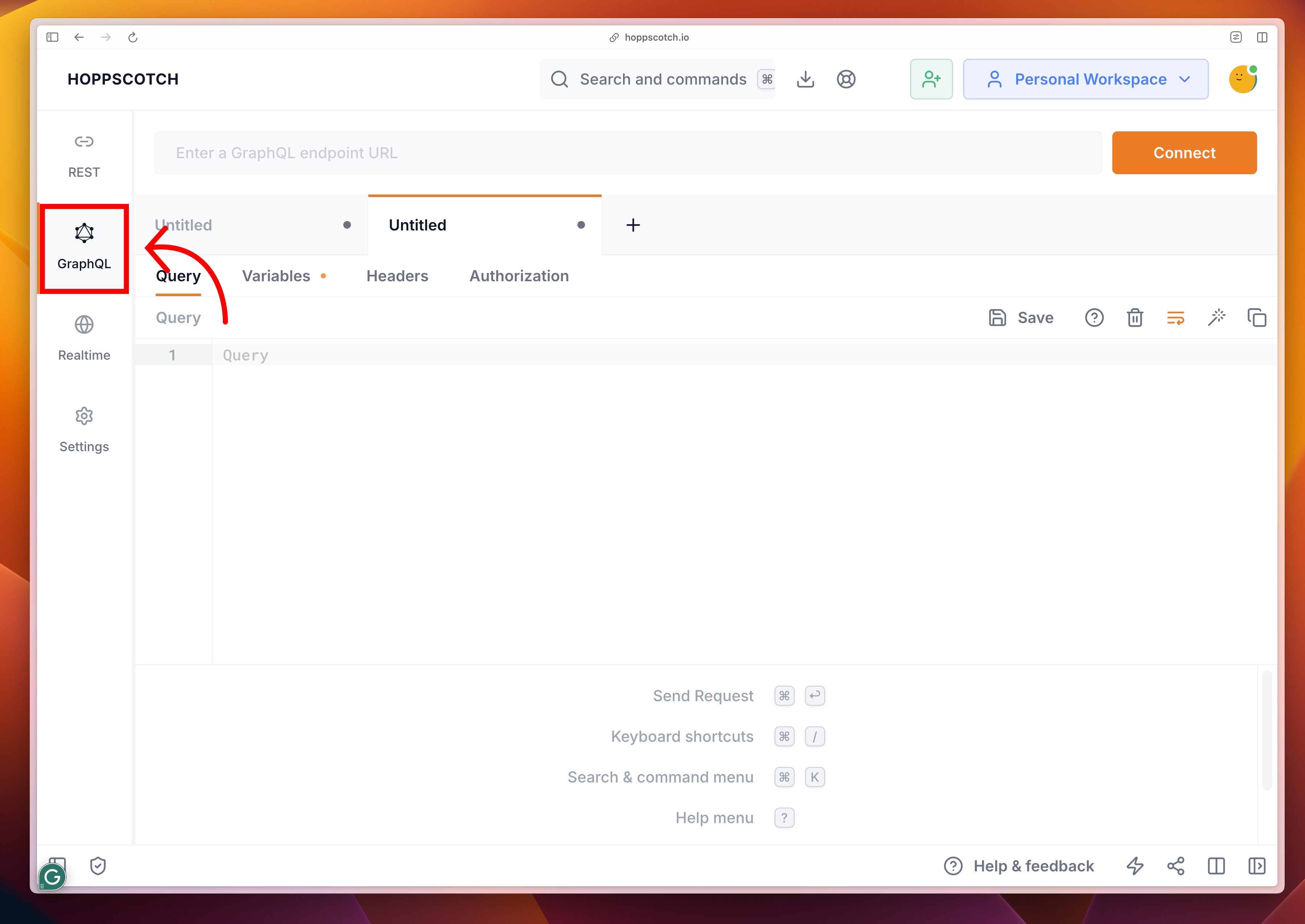
- In your browser, navigate to hoppscotch.io and select “GraphQL” on the left sidebar.
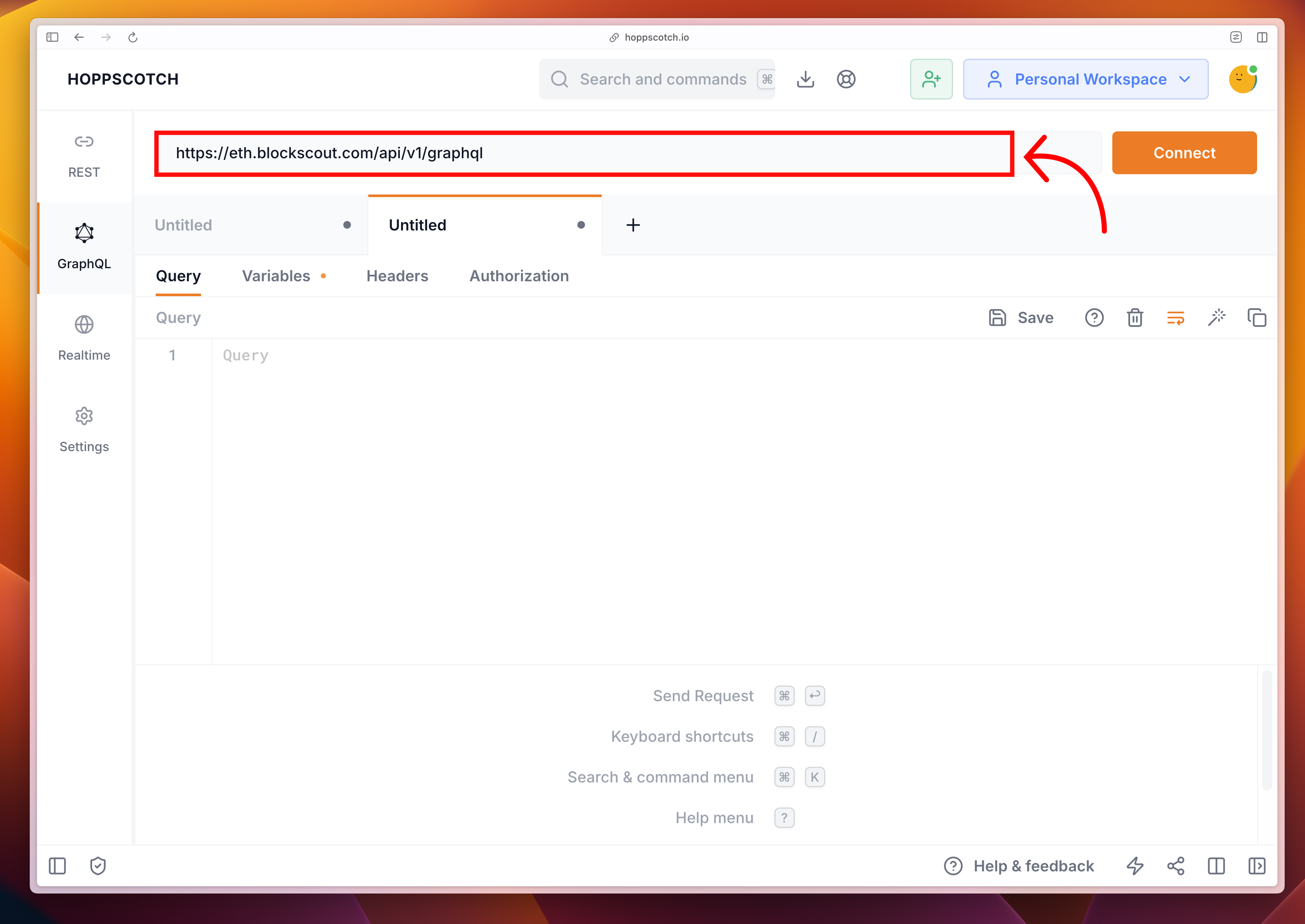
- Replace the Endpoint URL with https://eth.blockscout.com/api/v1/graphql. This is the GraphQL endpoint for the Ethereum Mainnet Blockscout instance.
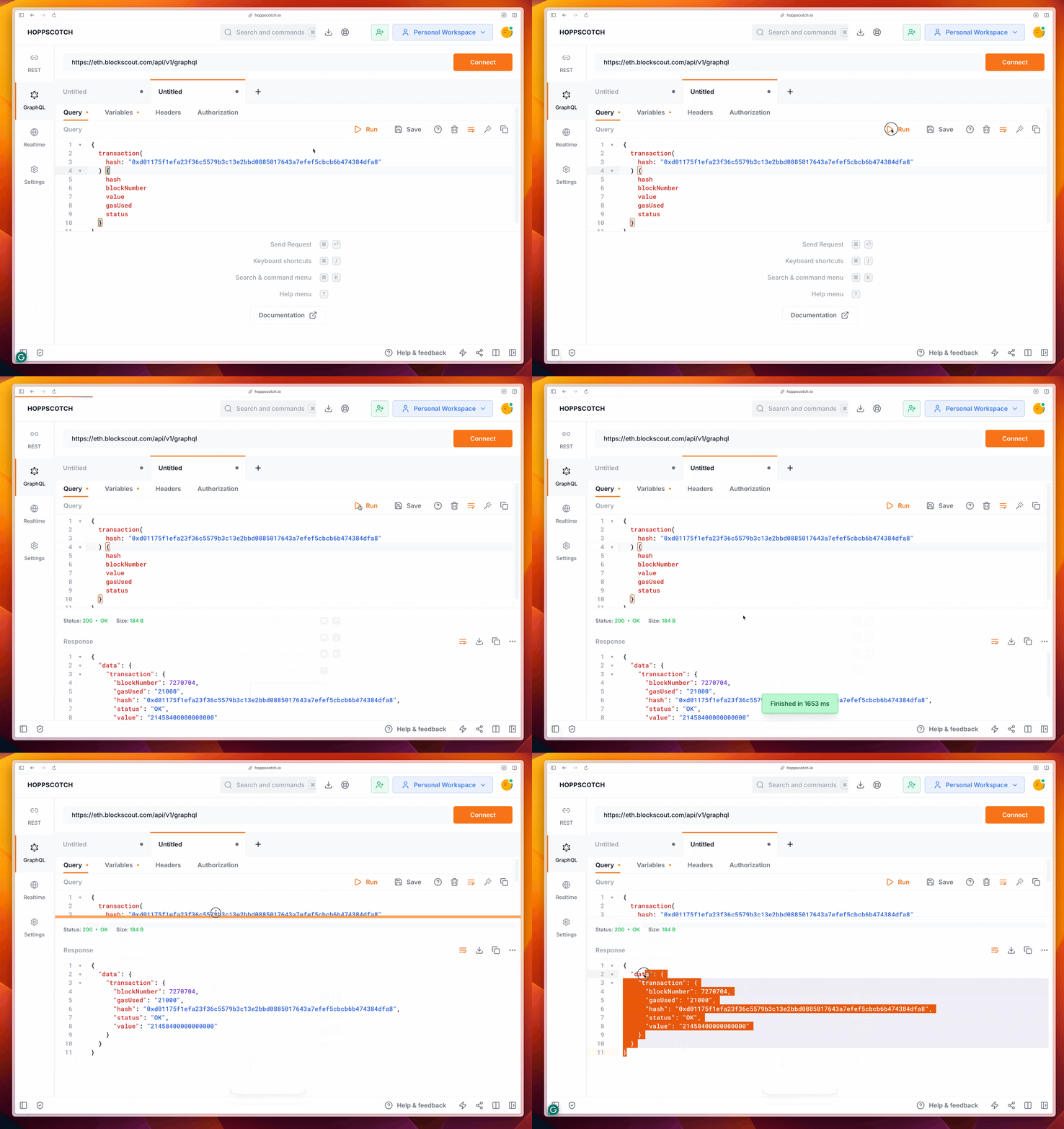
- Replace the query in the query panel with the following:
{
  transaction(
    hash: "0xd01175f1efa23f36c5579b3c13e2bbd0885017643a7efef5cbcb6b474384dfa8"
  ) {
    hash
    blockNumber
    value
    gasUsed
    status
  }
}
- Click Run, and your response will appear in the response panel in JSON format
Additional API Endpoints
GraphQL provides a full framework for advanced blockchain queries. However, if you have different needs (like simplicity or curated data), Blockscout offers multiple API options to suit different use cases and preferences. Along with GraphQL, our REST and RPC APIs give you the flexibility to choose the approach that best suits your application.